
Updating Admin Role Permissions
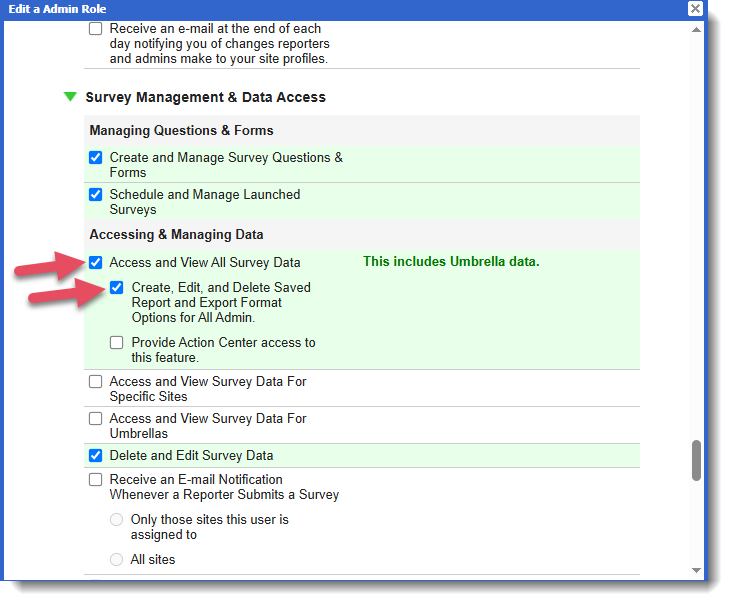
In order to save survey selections and export options, admin reporters will need to have the Admin Role permission "Create, Edit, and Delete Saved Survey and Export Format Options for All Admins."
To update admin roles, follow these steps:
- On the left, in your Mission Control, click Reporters, Admins, & Sites.
- On the right, under Manage Admins, click Manage admin roles.
- Find the Admin Role you need to update and click the Edit link.
- When the window opens, scroll to the section called Survey Management & Data Access.
- Admins who will be able to save selections and export options will need to have the permission "Access and View All Survey Data" AND the new permission "Create, Edit, and Delete Saved Survey and Export Format Options for All Admin."
- Click Update to save your changes.
Was this article helpful?
That’s Great!
Thank you for your feedback
Sorry! We couldn't be helpful
Thank you for your feedback
Feedback sent
We appreciate your effort and will try to fix the article