
Access Timesheets From Reporter's Timesheet Dashboard
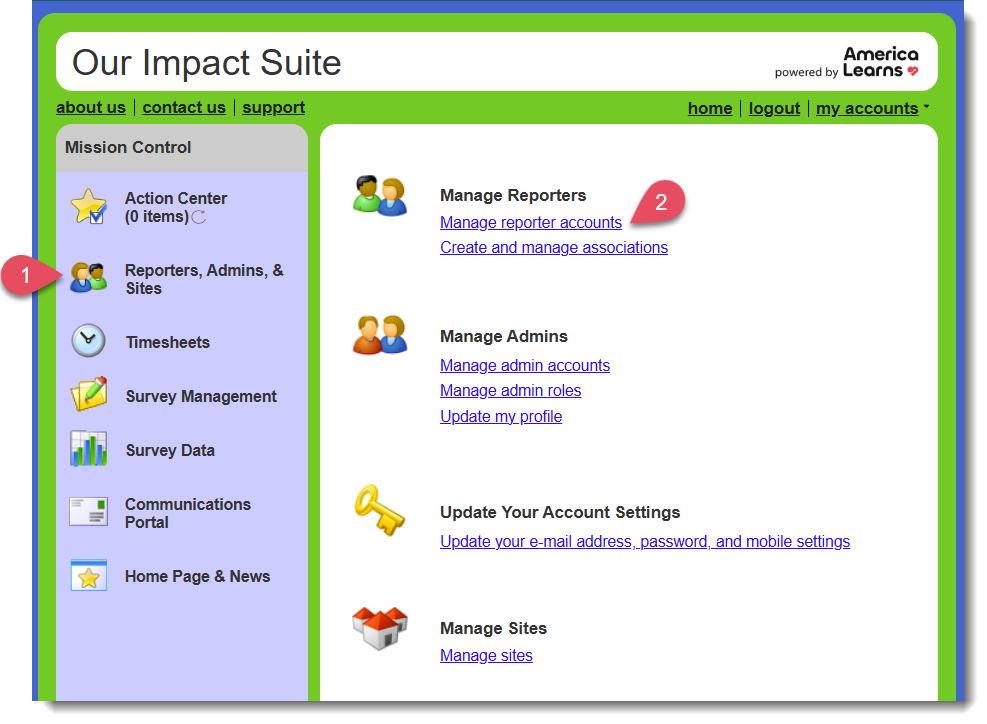
- From Mission Control on your left, select Reporters, Admins, & Sites.
- At the top, select Manage reporter accounts.
- Select the name of the reporter whose timesheets you'd like to screen.
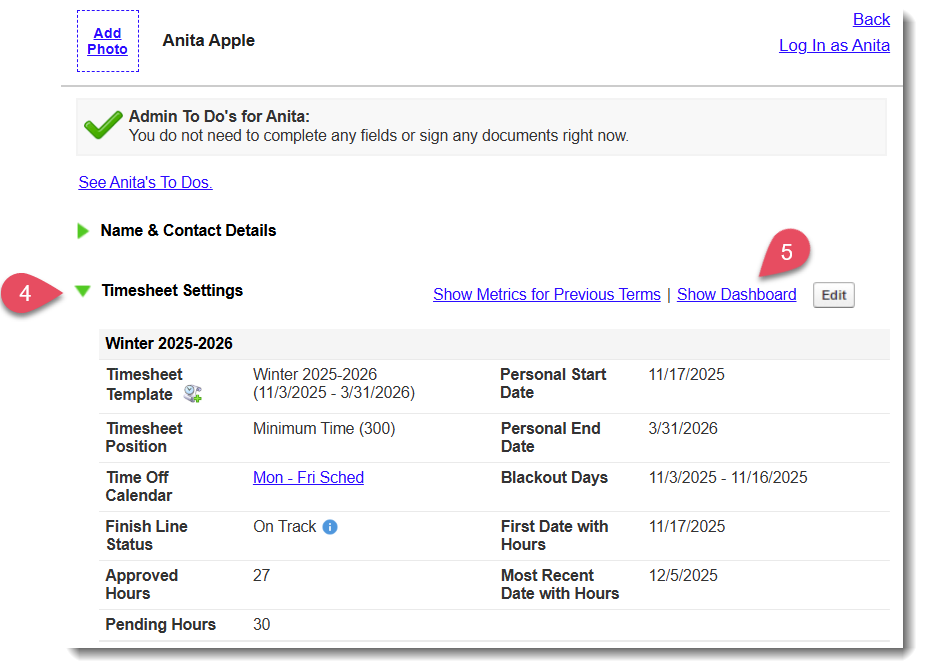
- Scroll to the panel labeled Timesheet Settings and open the panel using the green carrot on the left.
- On the right, select the blue hyperlink labeled Show Dashboard.
- A new window will open with this reporter's timesheet information. Scroll to the area labeled Submitted Timesheets and select a timesheet under either the Approved or Pending section that you'd like to screen.
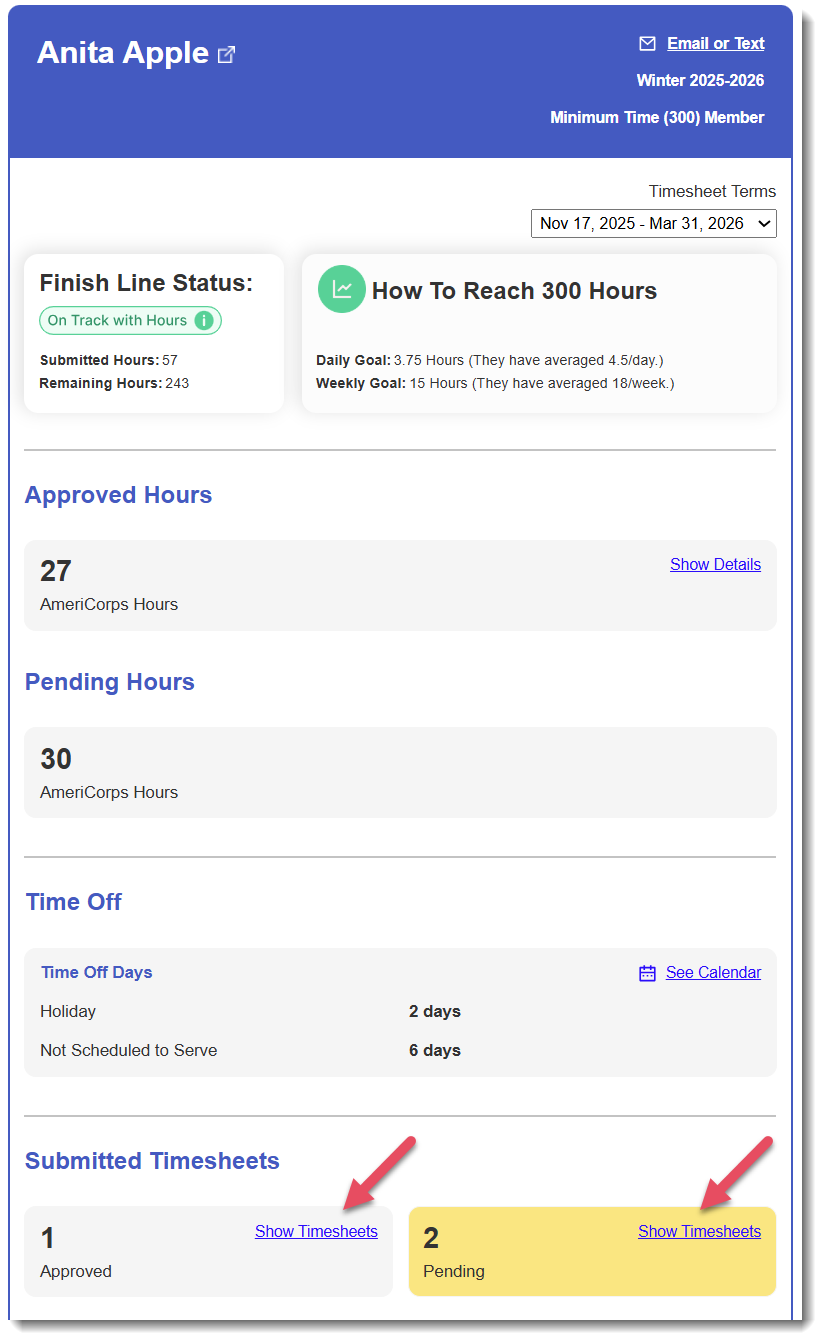
- View, approve, or reject that timesheet, and return to the reporter's Timesheet Dashboard to continue screening other timesheets as needed!
Was this article helpful?
That’s Great!
Thank you for your feedback
Sorry! We couldn't be helpful
Thank you for your feedback
Feedback sent
We appreciate your effort and will try to fix the article