
TABLE OF CONTENTS
- Accessing Reporter Timesheets: Email Link
- Accessing Reporter Timesheets: Action Center
- Screening Timesheets: Reporter-by-Reporter
Accessing Reporter Timesheets: Email Link
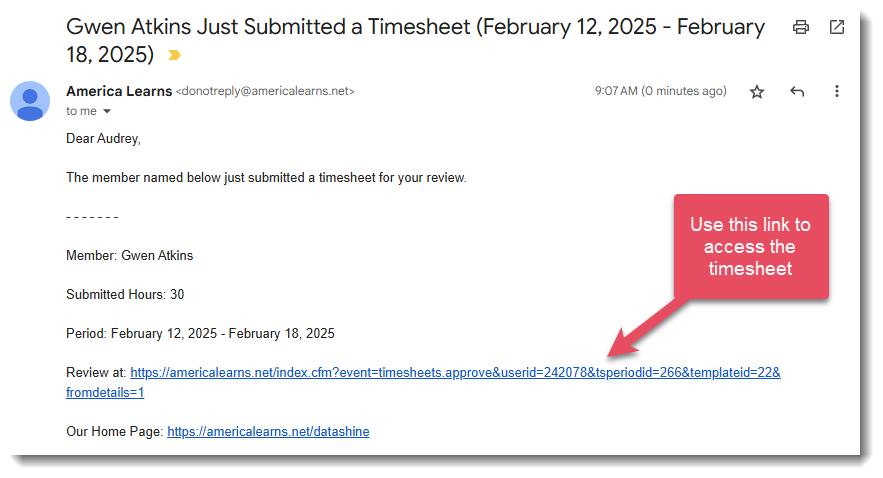
When a reporter submits a timesheet for approval, you will receive an email from America Learns when it is your turn to screen and sign the timesheet. (If you aren't receiving these emails and would like to reach out to your program's administrator to ask them to adjust your Admin Settings.)
Here’s what to do:
- Click the link in the email to access the timesheet.
- You will be taken to a login screen. Enter your username and password.
- The timesheet will load.
Accessing Reporter Timesheets: Action Center
Your Action Center is updated whenever you have a timesheet that is pending your review.
Here's what to do:
- Log in with your username and password.
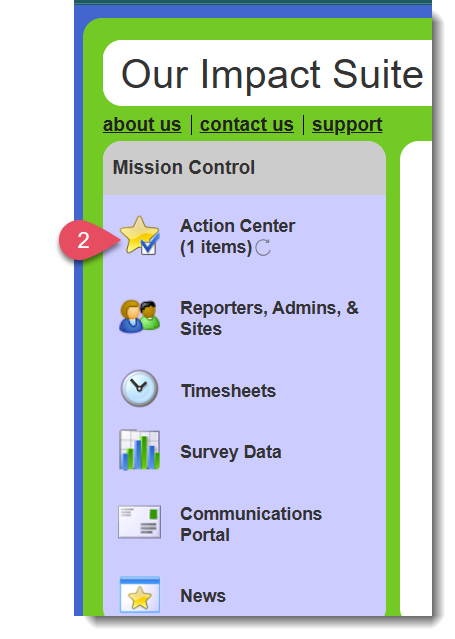
- In the Mission Control, your Action Center will show the number of items awaiting your review:
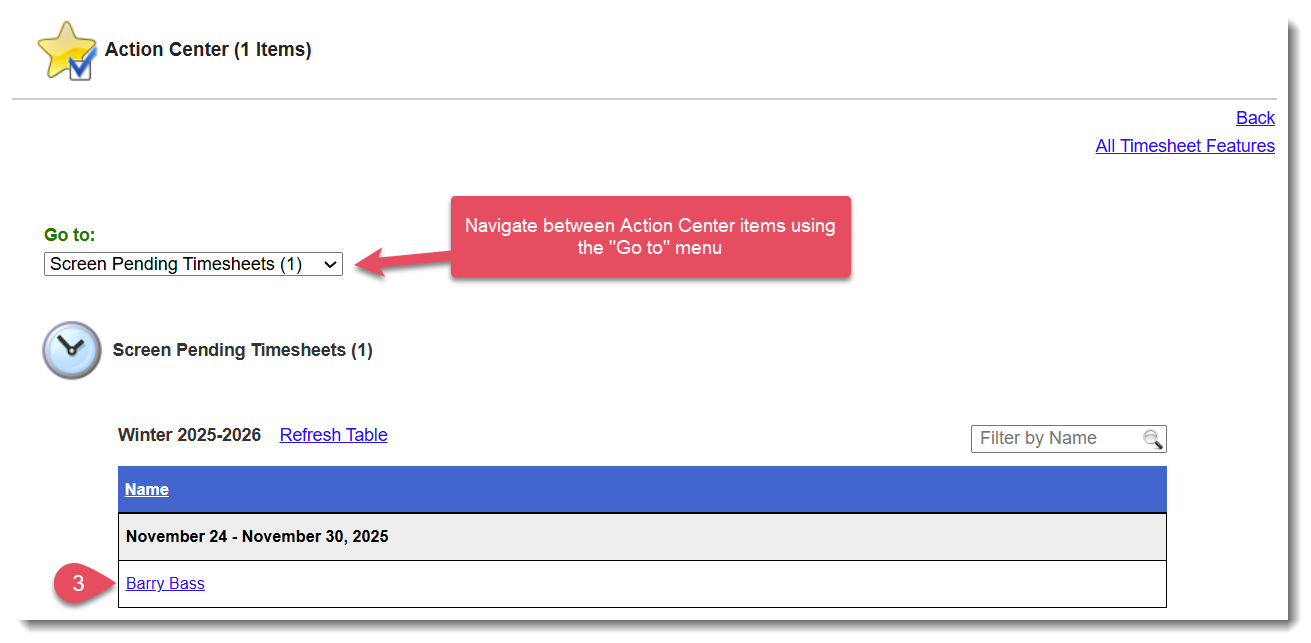
- In the Screen Pending Timesheets section of the Action Center, select the name of the reporter under the timesheet you want to review
- The timesheet will load.
Screening Timesheets: Reporter-by-Reporter
The reporter-by-reporter method is the most thorough method, allowing you to review each reporter’s complete timesheet and its associated audit trail.
The timesheet will look something like this:
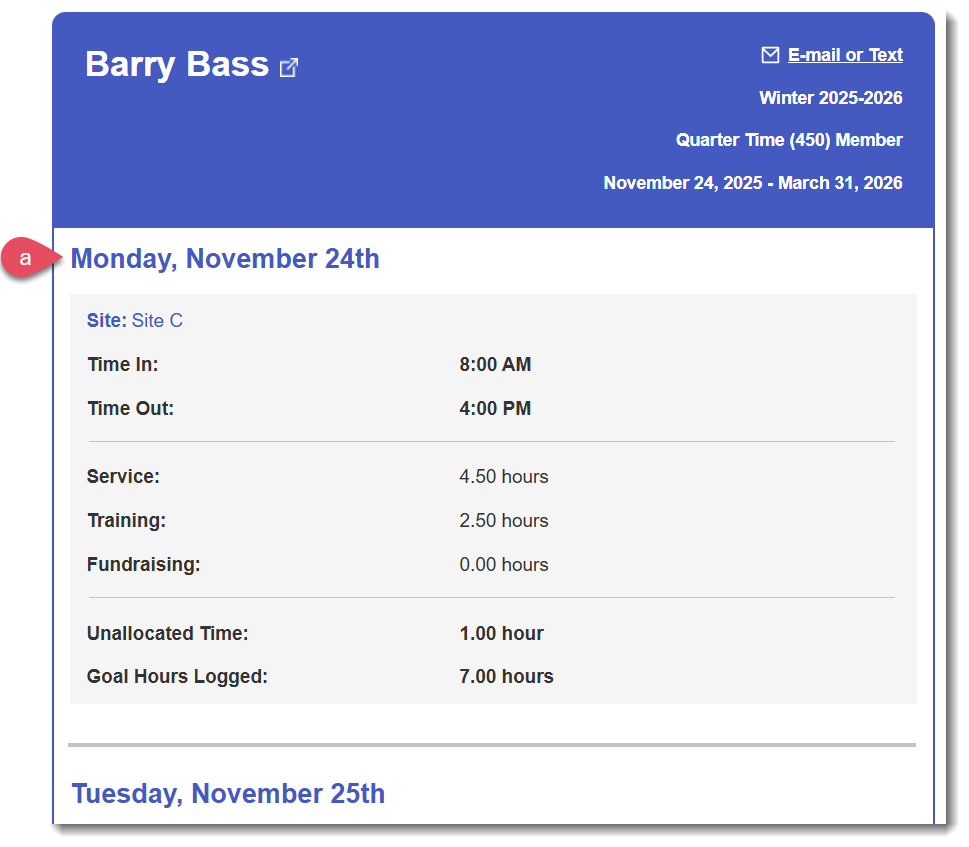
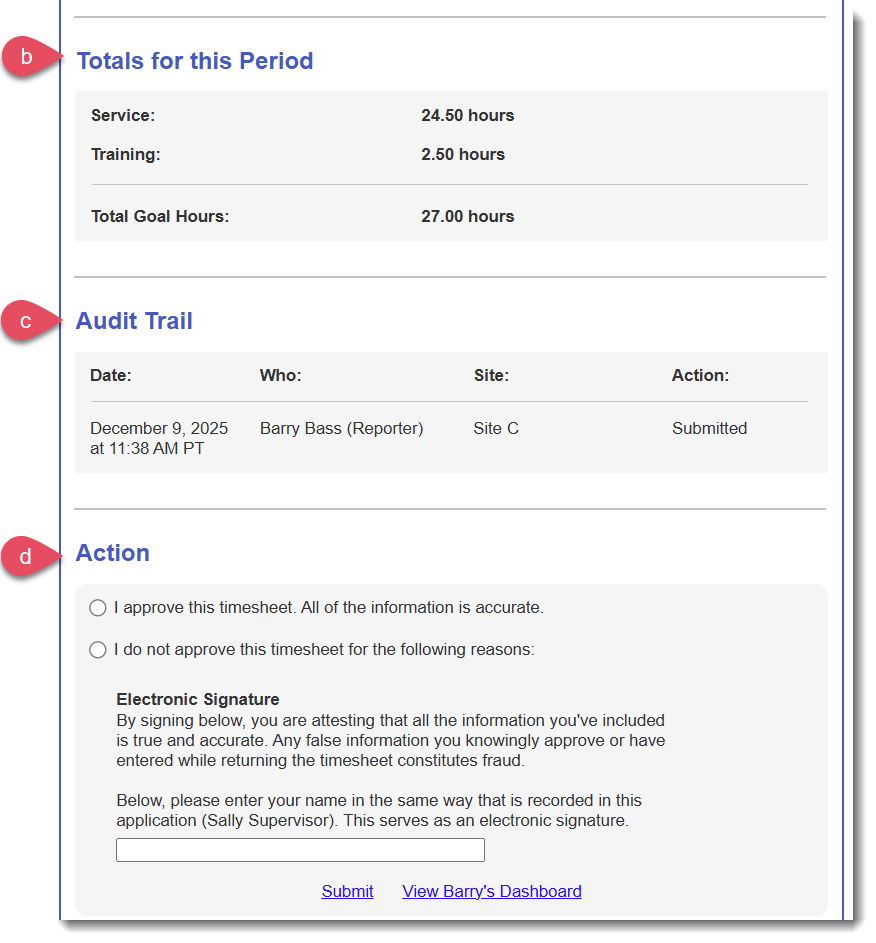
- A day-by-day breakdown of the time the reporter logged for your site.
- A section called Totals for This Period totals all of the hours for the period.
- A section called Audit Trail tracks all of the actions that have been taken on the timesheet.
- A section called Action where you can approve or return the timesheet.
To Approve a timesheet:
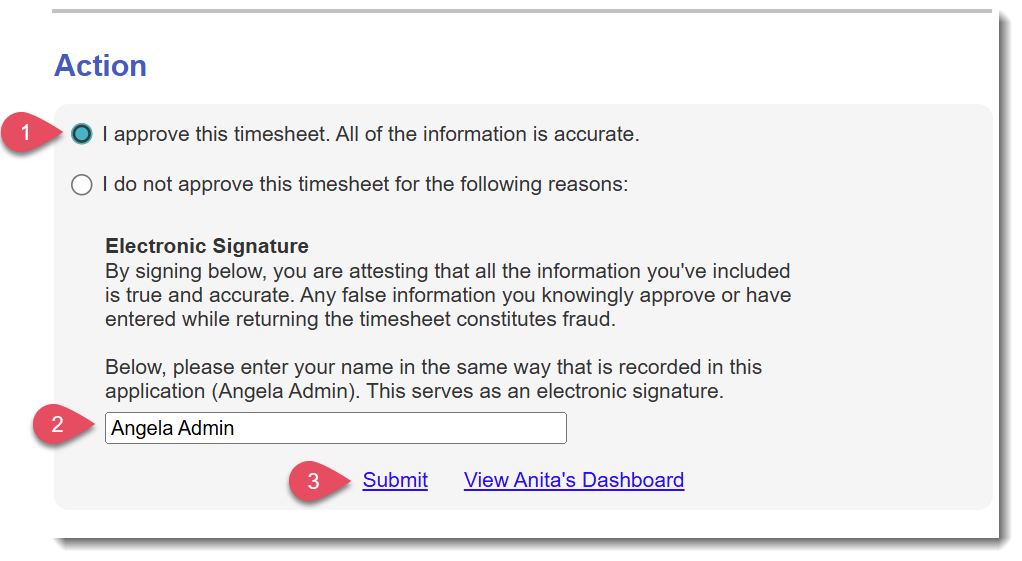
- At the bottom of the page, select “I approve this timesheet. All of the information is accurate.”
- Enter your name at the bottom of the page.
- Click Submit.
To Return a timesheet ti the reporter for edits:
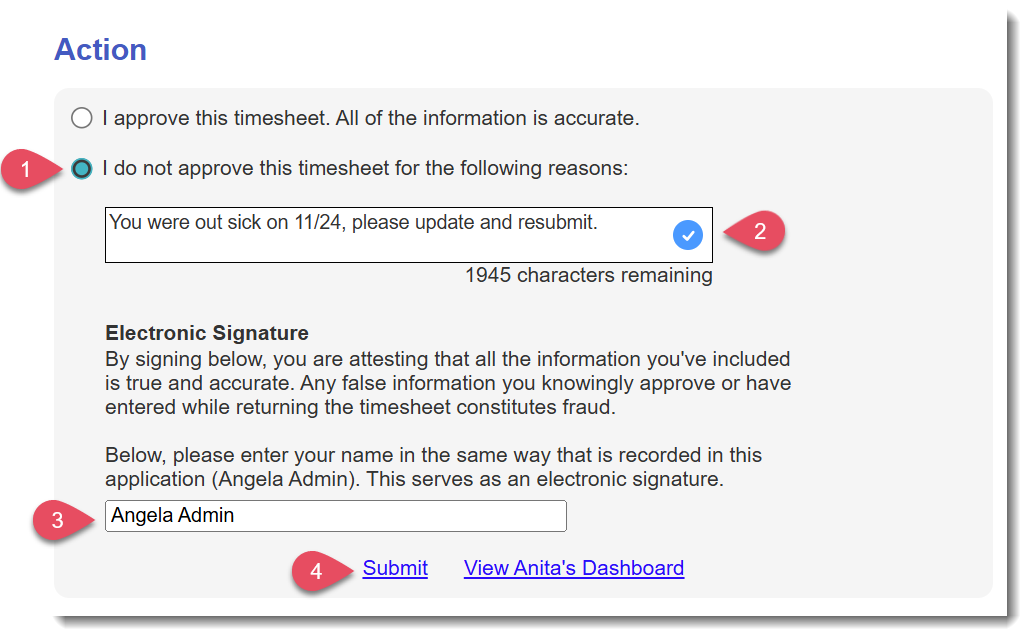
- At the bottom of the page, select “I do not approve this time sheet for the following reasons:”
- In the text box, describe the specific reasons for returning the timesheet. The reporter will see this text and will use it to figure out what they need to correct. The reason will also be listed in the Audit Trail. If you are not specific with your guidance here, you are setting yourself up for lots of back-and-forth and frustration for both you and the reporter.
- Enter your name at the bottom of the page.
- Click Submit.
- You’ll receive an e-mail when the reporter resubmits the timesheet.
Was this article helpful?
That’s Great!
Thank you for your feedback
Sorry! We couldn't be helpful
Thank you for your feedback
Feedback sent
We appreciate your effort and will try to fix the article