
Making Survey Data Available through the Group Identifier Profiles
Once Reporters have Identifiers associated with their accounts, you can allow admins and reporters to access cumulative data for Identifiers on their profiles. Follow the instructions below to select which data points are available for admins and reporters to view (admins and reporters can have access to different data points).
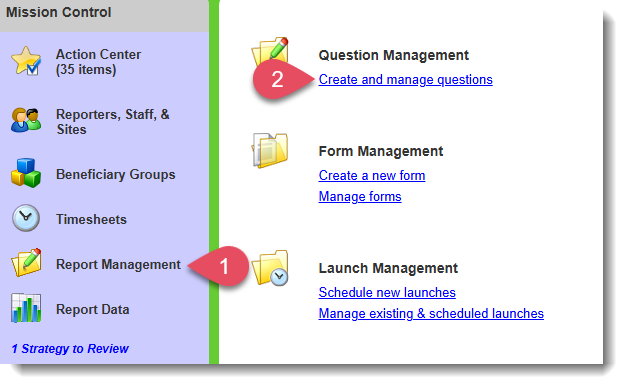
- On the left, in your Mission Control, select Survey Management.
- On the right, click Create and manage questions, a page will open Create & Edit Survey Questions.
- On this page, on the left, find and click the Category containing an Identifier question whose data should appear on a profile.
- Click the Edit button.

- When the question opens for editing, find the section of each question or sub-question that reads Include on Identifier profiles.
- A dotted box will appear. This box allows you to choose which type of data should be displayed on the profile for Admins and reporters.
- Repeat Step 4 for each question or sub-question until you have selected all of the data you would like to appear on the profile.
- When you are done, click Edit this Question at the bottom of the page.
Was this article helpful?
That’s Great!
Thank you for your feedback
Sorry! We couldn't be helpful
Thank you for your feedback
Feedback sent
We appreciate your effort and will try to fix the article